Independent encryption guide
Quantum Encryption Explained — Post-Quantum Cryptography & NIST Standards
Quantum computers do not make every encrypted file suddenly readable. The immediate migration problem is narrower: much of today’s public-key cryptography needs replacement, while strong symmetric encryption such as AES remains an important part of the solution.
Post-quantum cryptography is software-based cryptography designed to resist future quantum attacks and run on today’s computers. NIST’s finalized foundation is ML-KEM for shared-key establishment, ML-DSA for digital signatures, and SLH-DSA as a hash-based signature alternative. AES-256 remains a sensible choice for encrypting files, but an AES file tool by itself does not make an organization post-quantum ready.
On this page
A practical map of the guide
Start with the basics, compare implementation choices, then use the migration and product sections for a realistic next step.
- What quantum encryption means
- Direct answers to common standards questions
- Encryption methods
- Encryption decision tools
- NIST post-quantum standards
- Recommended file-encryption software
- Platform support and limitations
- Methods and software comparison
- Folder Lock tutorial
- Encrypting USB drives
- HIPAA, GDPR, PCI DSS
- SSD and HDD performance
- Key management
- Troubleshooting
- Frequently asked questions
- Our verdict
Direct answers
The three standards questions people ask most
These concise answers address the high-intent questions without confusing compliance, classified systems, and ordinary commercial encryption.
NIST encryption standards
NIST publishes standards for symmetric encryption, hashing, key establishment, signatures, storage protection, and now post-quantum cryptography. For PQC, the current finalized core is FIPS 203, 204, and 205.
See the algorithm table →What encryption standards do leading finance solutions use?
Serious financial systems combine protected transport, strong storage encryption, tokenization, hardware-backed key custody, access control, monitoring, and independently assessed processes. No trustworthy evaluation rests on one cipher name.
Review the finance checklist →How does NSA Type 1 encryption differ?
Type 1 is a U.S. government certification category for products that protect classified or sensitive national-security information. It is not a synonym for AES-256, FIPS validation, or post-quantum readiness.
Understand the assurance levels →Quantum Encryption Basics
Quantum encryption is not one technology
Three ideas are often mixed together. Quantum computing is a new model of computation. Quantum key distribution uses specialized physics and dedicated links to distribute key material. Post-quantum cryptography uses ordinary hardware and new mathematical algorithms to replace public-key systems that a sufficiently capable quantum computer could break.
For most businesses, the practical work is post-quantum migration. That means discovering where RSA, Diffie-Hellman, and elliptic-curve cryptography appear, identifying data that must remain private for many years, and testing standards-based replacements without damaging interoperability.
- Quantum computing
- A computing model that could eventually solve some problems faster than conventional machines.
- Quantum key distribution
- Specialized systems that use quantum states to help detect interception during key exchange.
- Post-quantum cryptography
- Algorithms designed for conventional computers that are believed to resist known quantum attacks.
- Crypto agility
- The ability to replace algorithms, keys, libraries, and certificates without rebuilding an entire system.
Keep strong symmetric encryption, replace vulnerable public-key layers, and design systems so future algorithm changes are manageable.
When you need this
Choose the scenario that resembles your risk
Quantum readiness is not a reason to buy every security product. It is a reason to match the protection method to the data, lifetime, devices, and threat model.
I store private files on one computer
Use native full-disk encryption for the device and add file-level encryption when selected folders need separate access controls or portability.
See the practical file option →I share encrypted work across devices
Choose a file-encryption workflow with supported desktop and mobile clients, then verify how keys, recovery, sync, and sharing work before rollout.
Check platform differences →I protect long-lived business or regulated data
Inventory cryptography, classify retention periods, separate keys from data, document controls, and require vendors to publish PQC roadmaps.
Build a migration plan →I move client files on USB drives
Pick a method based on recipient operating systems, administrative rights, recovery requirements, and whether the drive itself must perform encryption.
Compare USB methods →Choosing the Right Encryption Software for Your Needs
Start with the security boundary, not the brand
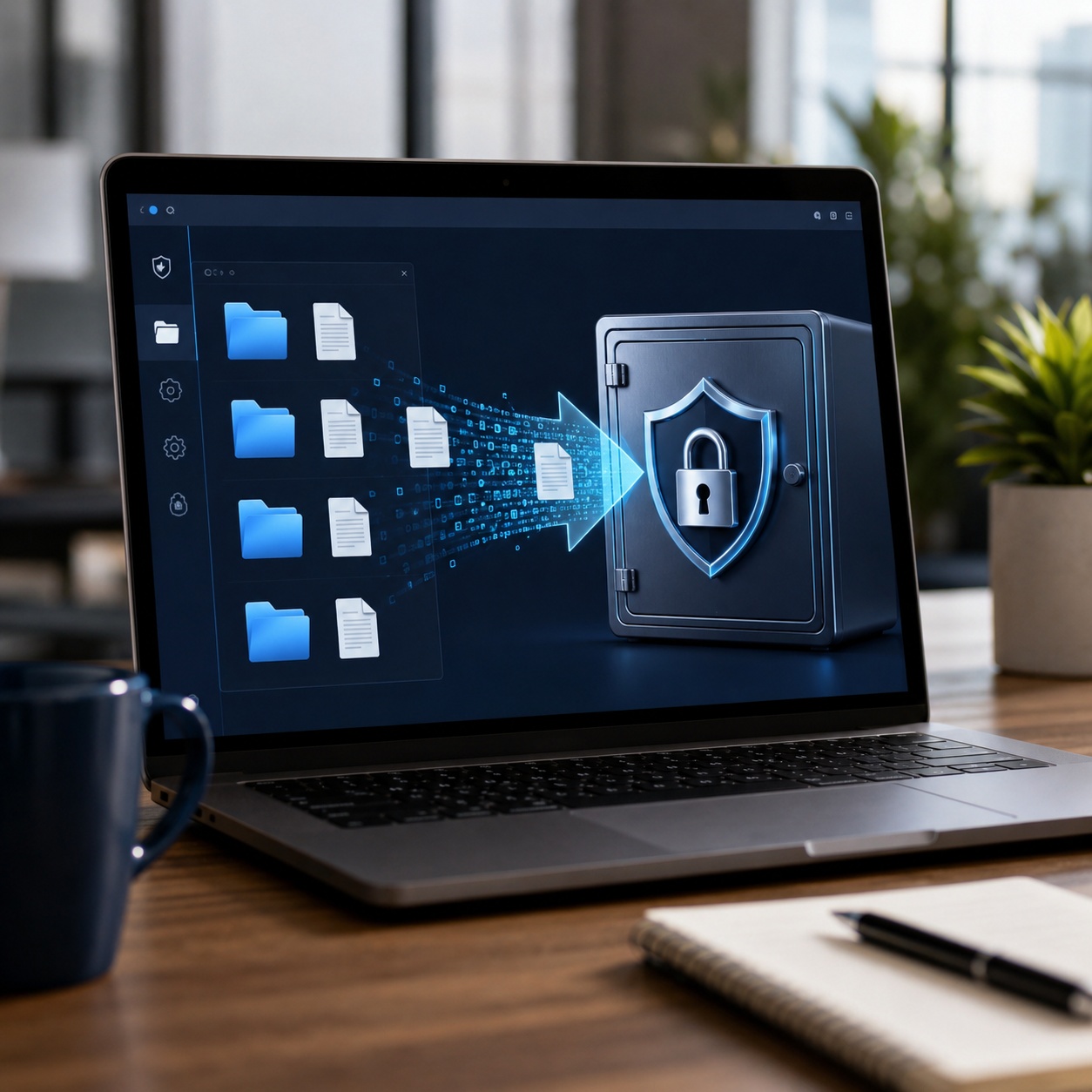
A secure method protects the right thing at the right time. Full-disk encryption helps after loss or theft. File encryption follows selected data. Hardware encryption can reduce dependence on a host computer. Post-quantum algorithms protect key establishment and signatures, not every storage problem by themselves.
Native operating-system encryption
BitLocker, Device Encryption, FileVault, and encrypted APFS volumes integrate closely with the operating system. They are usually the simplest baseline for a laptop or desktop.
Dedicated file and locker software
A dedicated application can create a separate encrypted area for selected documents, portable media, and cloud-synced files. It adds flexibility but also adds a vendor, account, update, and recovery dependency.
Open-source encrypted containers
Container tools can provide cross-platform storage with transparent designs and broad peer review. They reward careful setup and disciplined backup practices.
Hardware-encrypted storage
Some USB drives and external storage devices perform encryption internally and unlock through a keypad, smart card, biometric reader, or management application.
Enterprise post-quantum deployment
Organizations replace vulnerable key exchange and signature components in TLS, VPNs, PKI, code signing, identity, and device management. This is a program of discovery, testing, procurement, and phased migration.
Encryption decision lab
Turn a broad security question into a usable choice
These calculators are editorial aids, not cryptographic proofs. They help expose the assumptions that should drive a real selection.
What are you protecting?
Select the closest situation, then refine the recommendation.
Which algorithm family fits the job?
Compare symmetric key sizes
This visual is conceptual. It does not predict a real cracking date.
Estimate encryption time
Check your cryptographic exposure
Test the essentials
1. Which standard defines ML-KEM?
2. Which task is AES best suited to?
3. Does an AES file vault alone complete a PQC migration?
NIST post-quantum standards
What ML-KEM, ML-DSA, SLH-DSA, HQC, and FN-DSA do
NIST changed the names used during the competition. Kyber became ML-KEM, Dilithium became ML-DSA, and SPHINCS+ became SLH-DSA in the final standards.
| Standard or selection | Role | Status | Practical note |
|---|---|---|---|
| FIPS 203: ML-KEM Derived from CRYSTALS-Kyber | Key encapsulation | Final, August 13, 2024 | Primary NIST standard for establishing shared secrets in post-quantum protocols. |
| FIPS 204: ML-DSA Derived from CRYSTALS-Dilithium | Digital signatures | Final, August 13, 2024 | Primary general-purpose NIST post-quantum signature standard. |
| FIPS 205: SLH-DSA Derived from SPHINCS+ | Digital signatures | Final, August 13, 2024 | Hash-based alternative with a different security foundation and larger signatures. |
| FN-DSA Derived from FALCON | Digital signatures | FIPS 206 in development | Designed as another signature option, with implementation complexity that deserves careful validation. |
| HQC | Key encapsulation | Selected March 11, 2025; standard in development | Code-based backup to ML-KEM. It uses different mathematics and generally needs more resources. |
Two endpoints establish a shared secret.
The shared secret protects high-volume traffic.
Do not confuse “selected” with “final standard”
HQC was selected for standardization in March 2025. It is not yet a finished FIPS. Organizations should continue migrating toward the finalized 2024 standards while tracking the HQC draft and eventual final publication.
Primary references: NIST’s finalized standards announcement and NIST’s HQC selection notice.
Quantum threat timeline
Plan by data lifetime, not by a guessed quantum date
No one can give a dependable public date for a cryptographically relevant quantum computer. The safer planning model compares how long information must remain confidential with how long discovery, procurement, testing, and migration will take.
Inventory now
Find public-key algorithms, certificates, libraries, appliances, embedded devices, backups, and vendor-managed services.
Prioritize long-lived data
Move records that could still be valuable after future decryption attempts to the front of the queue.
Test interoperability
Measure handshake size, certificate chains, CPU load, memory, network middleboxes, logging, and disaster recovery.
Deploy in phases
Use standards-based implementations, preserve rollback paths, monitor failures, and document cryptographic dependencies.
“Harvest now, decrypt later” changes the deadline
Attackers can collect encrypted traffic today and wait for better cryptanalytic capability. Data with a long confidentiality period may therefore need a migration before a large quantum computer exists.
System:
Data owner:
Retention period:
Current public-key algorithms:
Current symmetric algorithms:
Certificates and expiration:
Key storage location:
Recovery owner:
Vendor PQC roadmap:
Migration dependency:
Test and rollback plan:
The tool we recommend for selected files
Use Folder Lock 10 when you need a separate encrypted space, not a complete PQC platform
For households and small teams that want selected-file encryption, portable encrypted storage, and cloud-linked lockers without managing an enterprise cryptographic stack, Folder Lock 10 is a practical option.
Choose where protected files live
Separate local work, cloud-synced data, and portable copies instead of treating every folder the same.
Local files
Synced locker
Synced locker
Synced locker
What the recommendation actually provides
Folder Lock 10 feature map, with the marketing stripped away
The useful distinction is between encryption, access restriction, portability, cloud workflow, and privacy utilities. They solve different problems.
Encrypted storage
- Local lockers
- Separate encrypted spaces for files on a Windows or Mac computer.
- Cloud-linked lockers
- Options designed around Dropbox, Google Drive, and OneDrive so selected files can be encrypted before or while they synchronize.
- Portable lockers on Windows
- Encrypted containers intended for removable storage and controlled sharing.
Access control and privacy
- Folder protection on Windows
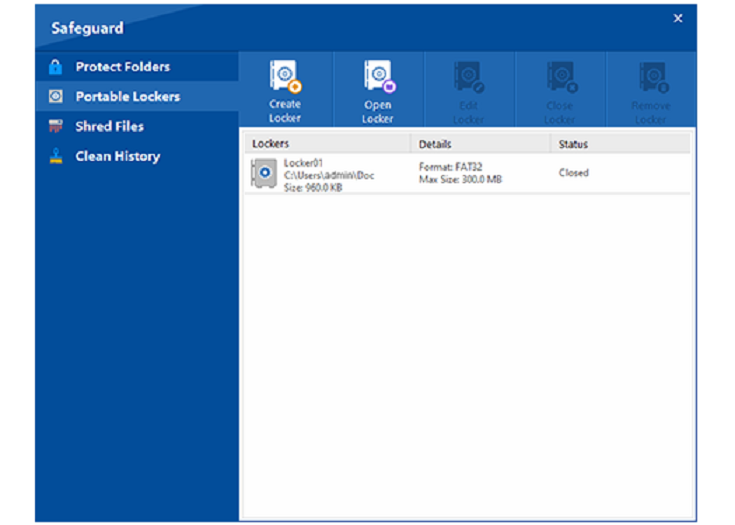
- A separate Safeguard function can hide or restrict files, folders, and drives without replacing them with encrypted copies.
- Secure deletion
- Windows tools include file shredding and empty-space cleanup for data that should not remain recoverable through ordinary undelete software.
- Activity cleanup
- History-cleaning controls target selected Windows usage traces. This is a privacy utility, not encryption.
Private records
- Notes and wallet-style records
- Structured areas for private text, account details, and other sensitive information.
- Mobile media and documents
- The iOS and Android apps organize protected photos, video, documents, audio, and personal records.
- Access-attempt monitoring
- Mobile versions can record failed access attempts, with implementation varying by platform.
Device continuity
- Cross-device access
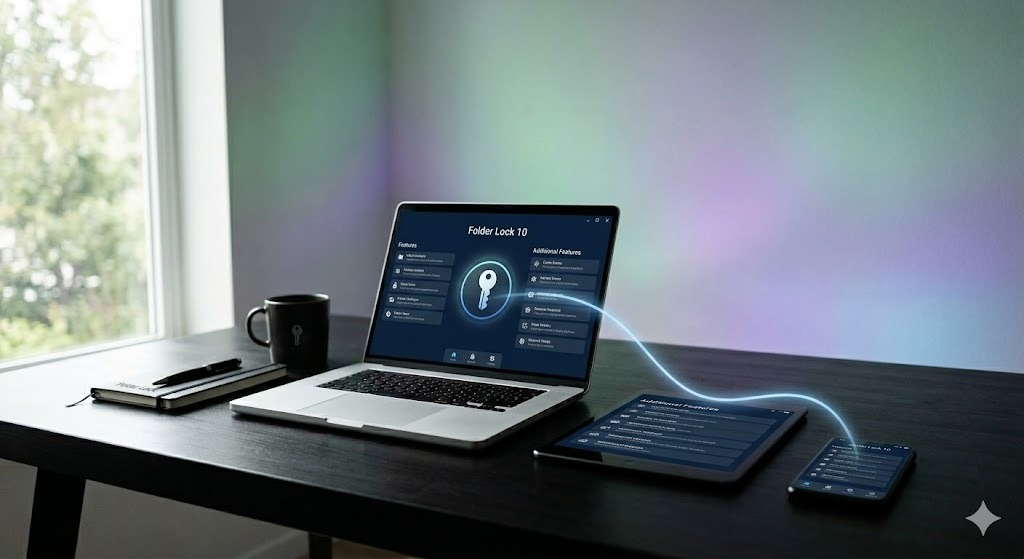
- The product family includes Windows, macOS, iOS, and Android applications for users who need the same protected collection on more than one device.
- Sharing controls
- Paid capabilities include authorized-user sharing rather than relying only on a single shared password.
- Platform-specific functions
- Android includes app locking, while iOS includes local Wi-Fi transfer. The Windows Safeguard tools are not mirrored on macOS.
Folder Protect and Folder Lock Lite are different products
Folder Protect is a Windows access-control tool for rules such as hiding data or blocking viewing, modification, or deletion. Folder Lock Lite is a reduced locking product without the encryption features of the full Folder Lock application. Neither should be presented as post-quantum encryption software.
Platform-specific notes
Desktop and mobile versions do not have identical capabilities
A product family can support four operating systems without exposing the same security boundary on each one. Verify the exact workflow before standardizing it across a team.
| Platform | Core fit | Distinct capabilities | Important limitation or note |
|---|---|---|---|
| Windows | Local, cloud-linked, and portable file protection | Desktop and cloud lockers, portable lockers, folder restriction, shredding, and history cleanup | Safeguard functions are access controls and utilities, not a claim of PQC. Portable workflows should be tested on recipient PCs. |
| macOS 13+ | Local and cloud-linked encrypted lockers | Desktop, Dropbox, Google Drive, and OneDrive locker choices; cross-device sync and sharing | The research material states that the Mac version does not include the Windows Safeguard feature. App Store distribution is the current update path noted in the supplied history. |
| Android | Protected mobile media, documents, records, and synchronized files | App locking, access-attempt monitoring, private browser functions, cloud backup, and cross-platform access | Mobile app locking does not encrypt the rest of the phone. Device-level Android encryption should remain enabled. |
| iOS and iPadOS | Protected mobile media, documents, records, and synchronized files | Wi-Fi transfer, access-attempt monitoring, private browser functions, cloud backup, and cross-platform access | iOS sandbox and transfer behavior differs from desktop file-system access. Test export, backup, and recovery before relying on it. |
Research snapshot: the supplied product pages list a free tier with 1 GB and two synchronized devices, plus a Pro tier with expanded storage and up to five synchronized devices. They show a price of $39.95. Pricing, subscriptions, and platform entitlements can change, so confirm the checkout page before publication.
Price verified from supplied materialAt a glance
Encryption methods compared by the problem they solve
The “winner” changes with the security boundary. A device-encryption tool can be excellent and still be the wrong answer for sending a protected file to a client.
| Method | Difficulty | Security boundary | Cost | Best for | Main limitation |
|---|---|---|---|---|---|
| BitLocker or Device Encryption | Low | Windows device or removable volume | Built in on supported editions | Lost-device protection | Edition and recovery-key requirements |
| FileVault or encrypted APFS | Low | Mac device or Apple-formatted volume | Built in | Mac device and drive protection | Cross-platform sharing can be awkward |
| Open-source container | Medium | Selected files in a mounted container | Often free | Technical users and cross-platform storage | Workflow and mobile access require planning |
| Folder Lock 10 | Low to medium | Selected local, synced, and portable files | Free tier; supplied Pro price $39.95 | Users who want one guided file-security suite | Not documented as a NIST PQC implementation |
| Hardware-encrypted USB | Low | Data stored on the physical device | Higher upfront cost | Portable data with minimal host software | Vendor, firmware, certification, and recovery dependence |
| Enterprise PQC stack | High | Protocols, identity, certificates, and signatures | Program-level investment | Long-term quantum migration | Not a consumer file-locker substitute |
| Verdict: combine full-disk encryption with selected-file protection. Add a separate PQC migration program wherever public-key cryptography protects long-lived sensitive data. | |||||
Step by step
How to protect selected files with Folder Lock 10
This workflow stays intentionally general because interface details and entitlement limits can change. Use the current official product guide for exact button names.
Install from the official source
Download the current installer or mobile app from NewSoftwares.net or the relevant app store. Avoid repackaged installers.
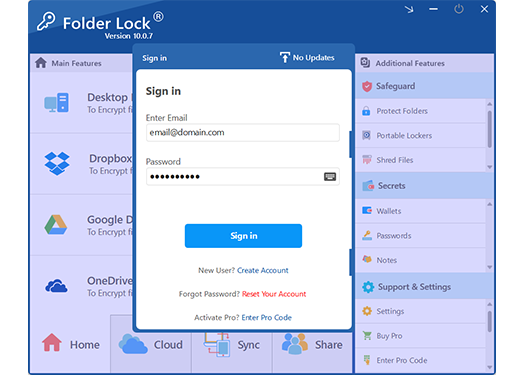
Create the account and recovery plan
Use a unique passphrase, verify the account email, and document which recovery options apply to the selected platform and locker type.
Choose the storage boundary
Select a local locker for one computer, a cloud-linked locker for synchronization, or a portable locker on Windows for removable storage.
Add copies, then verify
Move test files into the encrypted space, close it, reopen it, and confirm that the originals are not left exposed elsewhere.
Test another device and a recovery path
Before moving important data, verify cross-device access, sharing permissions, backups, and recovery information.
Document the limitation
Record that the locker protects stored files with conventional encryption and does not replace your organization’s PQC key-exchange and signature migration.
One product is only one layer
The lower layers protect stored data. The top migration layer replaces vulnerable public-key operations in systems and networks.
Technical deep dive
What to verify before trusting any encryption product
“AES-256” names a cipher and key size, not the full design. Ask about the authenticated mode, key derivation, random-number generation, file format, integrity checking, and independent review.
A password should be processed through a modern, salted, deliberately expensive derivation function. Product documentation should explain recovery behavior without implying a hidden universal backdoor.
Confirm whether encryption occurs before cloud upload, what metadata remains visible, how conflicts are handled, and whether temporary plaintext copies appear during editing or synchronization.
Ask whether recipients receive independent credentials, how access is revoked, which public-key algorithms protect sharing, and whether the vendor has a standards-based PQC transition plan.
A feature available on Windows may not exist on macOS, iOS, or Android. Test creation, opening, export, backup, account deletion, and recovery on every supported platform.
Secure deletion is difficult on SSDs, cloud storage, snapshots, and journaling file systems. Encryption plus key destruction is often more dependable than promising that every physical copy was overwritten.
Software comparison
Folder Lock 10 vs BitLocker, FileVault, and VeraCrypt
This comparison is about fit, not a universal ranking. Built-in tools are often the best first layer.
BitLocker
Best when the goal is transparent device or removable-volume encryption under Windows management.
Not ideal for: a cross-platform selected-file workflow.
FileVault
Best for encrypting a Mac’s system volume with recovery tied to Apple or organizational management.
Not ideal for: portable client handoffs outside Apple workflows.
VeraCrypt
Best for technical users who want reviewed encrypted containers and control over formats and settings.
Not ideal for: teams needing guided mobile sync and simple sharing.
Folder Lock 10
Best for selected-file lockers, cloud-linked storage, portable Windows containers, and a wider set of privacy utilities.
Not ideal for: proving post-quantum network security or replacing full-disk encryption.
Folder Lock 10 pricing
What the supplied free and Pro comparison indicates
This is an editorial summary of the supplied product research, not a guarantee of current checkout terms.
| Capability | Free | Pro, as listed in research |
|---|---|---|
| Locker capacity | 1 GB | Listed as unlimited |
| Synchronized devices | 2 | 5 |
| Desktop and mobile applications | Included in the product family | Included in the product family |
| Windows portable lockers | Not listed for free | Listed for Pro |
| Windows folder protection | Not listed for free | Listed for Pro |
| Sharing | Restricted in the desktop comparison | Expanded authorized-user sharing |
| Price | $0 | $39.95 in supplied pages; verify checkout |
Is the paid version worth it?
It makes sense when you specifically need larger lockers, more synchronized devices, sharing, portable Windows lockers, or Windows Safeguard tools. It is not worth upgrading merely because a page discusses quantum encryption. The Pro version is still a conventional file-security product, not a NIST PQC deployment.
AES-256 and Quantum Encryption & Post-Quantum Cryptography — What You Need to Know
AES is for bulk encryption; PQC replaces vulnerable public-key operations
AES is a symmetric block cipher. The same secret key is used for encryption and decryption, which makes it efficient for large files, disks, backups, and network payloads. Post-quantum key-encapsulation mechanisms help two endpoints establish a shared secret. Post-quantum signature algorithms prove origin and detect unauthorized changes.
A common future-ready design therefore combines them: ML-KEM establishes key material, then AES protects the high-volume data. ML-DSA or SLH-DSA handles signatures where authenticity is required.
AES-128
Fast and widely approved. NIST’s PQC FAQ says it is expected to remain secure for decades under current analysis.
AES-192
A less common middle option with a larger security margin than AES-128.
AES-256
The conservative consumer and enterprise choice when implementation quality and key management are sound.
Reference: NIST post-quantum cryptography FAQ.
Hardware vs Software Encryption — Performance Tradeoffs
Hardware can isolate keys; software is usually easier to update
“Hardware encryption” is not automatically stronger. The assurance comes from the design, certification, firmware process, key handling, and operational controls.
Choose hardware when
- Keys should remain inside a dedicated device or security module.
- Portable data must unlock without installing desktop software.
- Centralized key custody or tamper resistance is a requirement.
- A validated module is part of the compliance architecture.
Choose software when
- You need rapid updates and broad device compatibility.
- Files move between local, cloud, and collaborative workflows.
- Budget, replacement, and inventory constraints favor existing hardware.
- You can protect keys through the operating system, TPM, secure enclave, or a managed KMS.
Encrypt a USB drive
The best USB method depends on who must open it
Before choosing a tool, write down the recipient’s operating system, whether they have administrator rights, whether software installation is allowed, and how recovery will work.
How can I use Windows to encrypt a USB drive?
- Connect the drive and back up anything important.
- Open the BitLocker management interface on a supported Windows edition.
- Enable BitLocker for the removable drive.
- Choose a strong unlock method and save the recovery key somewhere separate.
- Complete encryption and safely eject the drive.
Use BitLocker To Go when recipients use compatible Windows systems and recovery can be managed.
Encrypt a USB drive on Mac
- Back up the drive because reformatting may be required.
- Use Disk Utility to create an encrypted APFS volume where appropriate.
- Choose a unique passphrase and store recovery information separately.
- Test reopening the volume after a restart.
- Confirm compatibility before sharing with Windows users.
Apple-formatted encrypted drives are strongest inside an Apple workflow, not as a universal handoff format.
| USB approach | Cross-platform fit | Installation need | Recovery model |
|---|---|---|---|
| BitLocker To Go | Primarily Windows | Built into supported Windows editions | Recovery key |
| Encrypted APFS | Primarily Apple | Built into macOS | Passphrase and managed recovery where configured |
| Portable Folder Lock locker | Windows-oriented portable workflow | Designed to reduce installation dependence | Locker credentials and product-specific recovery rules |
| Open-source container | Potentially broad | Compatible software usually required | Volume password, keyfile, and backups |
| Hardware-encrypted drive | Often broad | May unlock through device hardware | Vendor-specific admin or recovery process |
Do not rely on an encrypted USB as the only copy
Loss, device failure, forgotten credentials, firmware problems, and file-system corruption can all destroy access. Keep an encrypted backup under a separate recovery process.
Performance Impact of Quantum Encryption & Post-Quantum Cryptography
Storage encryption is often limited by the drive; PQC affects handshakes and signatures
AES performance and PQC performance should not be collapsed into one benchmark. They operate at different stages.
HDD
Mechanical seek and transfer limits usually dominate. Initial encryption and large copies can take noticeably longer, especially with many small files.
SATA SSD
Modern CPUs can often process AES faster than the drive can sustain writes. Real overhead is commonly modest for routine work.
NVMe SSD
High-throughput storage can expose CPU, memory, file-system, or application limits. Measure on the target device rather than using a generic percentage.
How to benchmark properly
Test the same data set before and after encryption, record CPU model, storage model, file size distribution, antivirus state, thermal conditions, and whether verification or cloud synchronization is included. Report median results across repeated runs.
Key management best practices
Encrypted data is only as recoverable and confidential as its keys
- Use unique keys or passphrases for separate security boundaries.
- Store recovery material away from the encrypted data.
- Limit who can export, rotate, restore, or destroy keys.
- Record ownership, purpose, creation date, rotation policy, and retirement status.
- Test recovery before an incident and after major upgrades.
- Protect old backups when algorithms or key formats change.
Do not treat a password hint as a recovery strategy
Use documented recovery keys, an approved enterprise escrow process, or a tested backup. Weak hints and reused passwords undermine the encryption boundary.
Encryption readiness checklist
0 of 8 completed
Legal and Compliance Reasons to Use Quantum Encryption & Post-Quantum Cryptography
Encryption supports compliance; it does not create compliance by itself
A product claim should never replace a risk assessment, documented control design, or independent validation.

HIPAA
The HIPAA Security Rule treats encryption as an addressable implementation specification. A regulated entity must assess whether it is reasonable and appropriate, document the decision, and use an equivalent safeguard where justified.
Read HHS guidance →GDPR
Article 32 lists encryption and pseudonymization among measures that may be appropriate based on risk, alongside confidentiality, resilience, restoration, and ongoing testing.
Read Article 32 →PCI DSS
PCI DSS requires strong cryptography in relevant storage and transmission contexts, but encrypted cardholder data and the systems that manage keys can remain in scope. PCI SSC does not endorse one product as a complete compliance solution.
Open the PCI DSS library →Compliance wording to avoid
Do not write “HIPAA certified,” “GDPR compliant encryption,” or “PCI compliant software” unless the precise scope and independent assessment support that claim. Safer wording explains which control the product can help implement.
Encryption standards used by leading finance solutions
Look for a layered control system, not a single badge
High-yield savings platforms, tax applications, digital safe-deposit services, and payment systems should protect both data in transit and data at rest. A sound evaluation asks how keys are generated, stored, rotated, audited, recovered, and separated from application data.
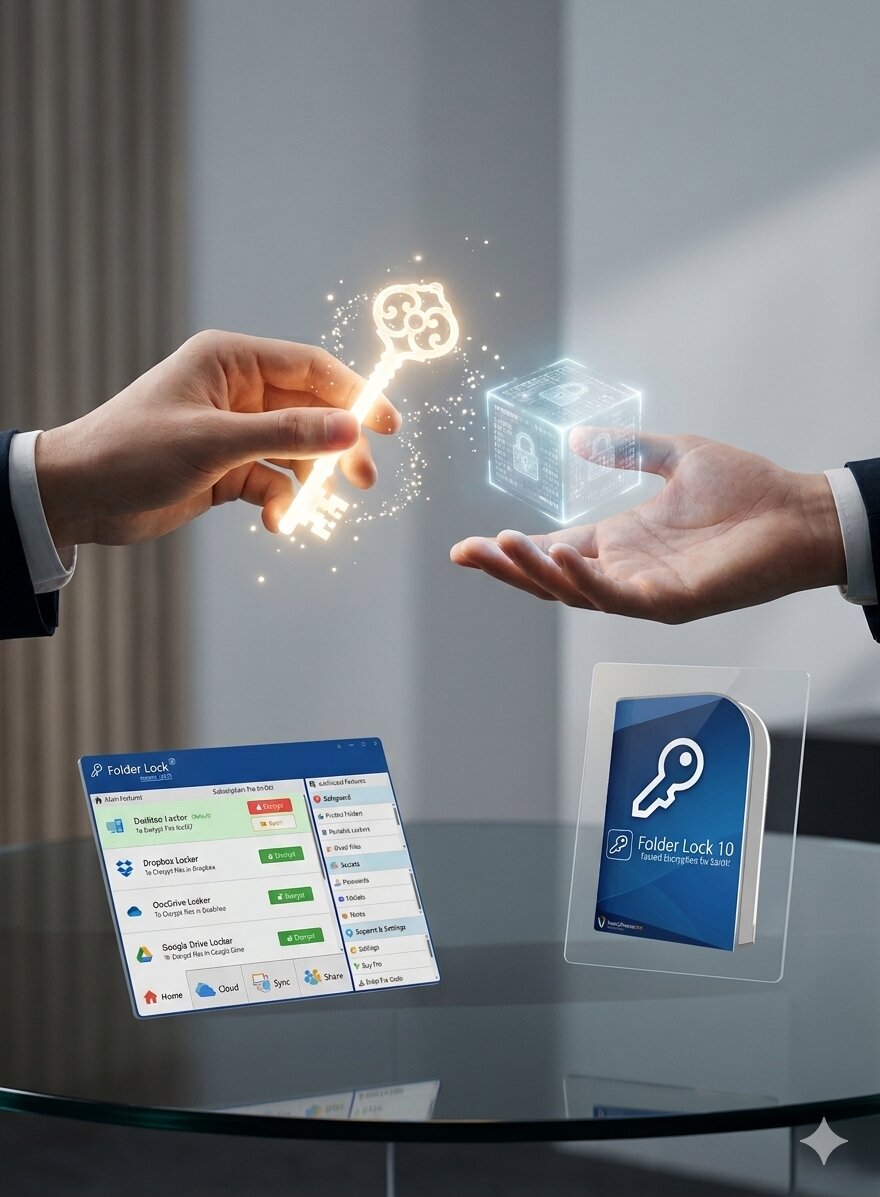
- Modern TLS with secure cipher negotiation and certificate management
- Strong symmetric encryption for stored account and document data
- Tokenization where a reusable payment identifier does not need to be stored
- Hardware-backed or tightly controlled key management
- Multifactor authentication, least privilege, monitoring, and incident response
- Independent assessments appropriate to the service and jurisdiction
Questions to ask a finance provider
- Which data is encrypted at rest, and where are the keys stored?
- Which TLS versions and cipher policies are enforced?
- Are payment identifiers tokenized?
- How are privileged access and key rotation audited?
- What is the provider’s post-quantum migration roadmap?
- Which certifications or assessment reports cover the specific service?
How Does NSA Type-1 Encryption Differ from Other Encryption Standards
Type 1 is a certification and assurance category, not an algorithm
NSA Type 1 products are intended for classified or sensitive U.S. government information and are evaluated under specialized national-security requirements. Commercial software that uses AES-256 is not automatically Type 1. A FIPS-validated cryptographic module is also not automatically Type 1.
For national-security systems, NSA publishes separate transition guidance such as CNSA 2.0 and states that post-quantum mathematical algorithms are preferred over quantum key distribution unless QKD’s operational limitations are overcome. Commercial organizations can learn from that migration discipline without claiming government certification.
Reference: NSA post-quantum cybersecurity resources.
Data handling choices
Encryption vs tokenization vs data masking
These controls are complementary. Choosing the wrong one can create unnecessary key exposure or destroy the usefulness of the data.
Encryption
Reversible with the correct key. Use it when authorized systems must recover the original content.
Tokenization
Replaces a sensitive value with a surrogate that maps back through a protected token service. Useful for payment and identifier workflows.
Masking
Hides part or all of a value for display, testing, or analytics. It does not necessarily protect the underlying source data.
What about file names and metadata?
Some encrypted containers hide file contents but still reveal container size, timestamps, account activity, synchronization events, or the fact that an encrypted vault exists. Verify exactly which metadata remains visible to the operating system, cloud provider, backup system, and administrator.
Hidden volumes and plausible deniability
Hidden-volume designs can reduce obvious evidence of a second data set, but they introduce operational risk. Accidental writes, backups, legal obligations, and user mistakes can expose or damage hidden data. They are not a substitute for a lawful, documented security policy.
Common errors and fixes
Safe troubleshooting for encrypted files, USB drives, and lockers
These steps assume you own or are authorized to access the data. They do not include password cracking, bypassing access controls, or extracting another person’s credentials.

| Problem | Likely cause | Safe fix |
|---|---|---|
| Forgot a locker password | The selected locker type may not support password recovery | Stop changing files. Check official recovery options, account email, saved keys, license records, and backups. Contact vendor support with ownership evidence. |
| Encrypted USB will not open on another PC | Unsupported OS, missing application, blocked executable, or damaged file system | Test on a supported system, verify the official reader or application, check the drive read-only, and restore from backup if corruption is detected. |
| BitLocker recovery screen appears | Hardware, firmware, boot, or policy change triggered recovery | Use the saved recovery key from your Microsoft account, organization, printout, or approved escrow. Do not reset or reformat before recovery. |
| Cloud locker is not synchronizing | Cloud client is paused, account changed, storage full, or a conflict occurred | Confirm the cloud client and locker are signed in, review available space and conflicts, then test with a non-sensitive file. |
| Files remain visible outside the locker | Original copies, recent-file lists, thumbnails, temporary files, or backups remain | Verify the encrypted copy, remove authorized plaintext originals, review application caches, and allow secure deletion policy to handle remaining media appropriately. |
| Performance dropped after encryption | Initial conversion, slow USB media, many small files, antivirus scanning, or thermal throttling | Finish the initial pass, update software, test a representative data set, and compare storage and CPU utilization. |
| Mac feature does not match Windows instructions | The Mac product does not include every Windows Safeguard function | Use the current macOS guide and choose locker-based encryption rather than assuming Windows access-control tools are present. |
| Need to sell or dispose of a computer | Encrypted data, recovery keys, and account sessions may remain | Back up needed data, sign out, remove recovery keys from the device, perform the manufacturer’s secure reset, and follow the organization’s media-disposal policy. |
Which option is right for you?
Match the method to the user and the failure you care about
A layered answer is usually better than replacing one good control with a more complicated tool.
Home user on one laptop
Start with: full-disk encryption and strong account security.
Add Folder Lock when: selected documents need a separate boundary or cloud-linked locker.
Consultant sharing client files
Start with: approved secure transfer and device encryption.
Add a portable or shared locker when: recipients can support the format and recovery process.
Small business with mixed devices
Start with: managed device encryption, MFA, backups, and access reviews.
Add Folder Lock when: a guided cross-device file vault fits the team’s workflow. Pilot it before wider deployment.
Enterprise or regulated environment
Start with: cryptographic inventory, managed KMS or HSM controls, policy, logging, and validated products.
Add PQC migration: for TLS, VPN, PKI, code signing, identity, and long-lived data. A consumer locker is not the migration program.
Frequently asked questions
Clear answers about quantum encryption, AES, software, and USB protection
Filter by a word such as “NIST,” “USB,” “Folder Lock,” “compliance,” or “password.”
Quantum encryption usually refers to methods that use quantum physics, such as quantum key distribution. Post-quantum cryptography is different: it uses new mathematical algorithms on ordinary computers to resist attacks from future quantum computers.
It replaces vulnerable public-key operations, especially key establishment and digital signatures, with algorithms built on mathematical problems that are not known to be efficiently solved by either classical or quantum computers.
NIST finalized FIPS 203 for ML-KEM key establishment, FIPS 204 for ML-DSA signatures, and FIPS 205 for SLH-DSA signatures on August 13, 2024. Additional standards, including a FALCON-derived signature standard and an HQC-based backup KEM, remain in development.
NIST selected HQC for standardization as a second post-quantum key-encapsulation option based on different mathematics from ML-KEM. NIST said organizations should continue migrating to the standards finalized in 2024 while HQC proceeds through drafting and review.
AES-256 is symmetric encryption, so it is not exposed to Shor's algorithm in the same way as RSA or elliptic-curve cryptography. NIST currently considers AES with approved key sizes suitable for continued use, although implementations still need strong keys, secure modes, and careful key management.
The supplied product material describes AES-256 encrypted lockers and conventional account and sharing mechanisms. It does not identify ML-KEM, ML-DSA, SLH-DSA, HQC, or another NIST post-quantum algorithm. Treat it as practical file encryption for data at rest, not as a complete post-quantum migration platform.
For local files, correctly implemented AES-256 with a strong passphrase and protected recovery material is among the strongest widely available consumer options. The surrounding design, including key derivation, authentication, updates, and backup practices, matters as much as the algorithm name.
Strong encryption is intended to make recovery without the key computationally impractical. Access may still be possible through a legitimate recovery key, account recovery process, backup, or an implementation flaw. A forgotten password can therefore become permanent data loss in some products or vault types.
Modern processors usually handle AES efficiently, so everyday file work often sees a modest impact. Initial full-disk encryption, large transfers, older CPUs, slow USB media, cloud synchronization, and secure deletion can take longer.
Full-disk encryption protects an entire device when it is powered off or locked. File-level encryption protects selected files or containers and can remain useful when data is copied, synchronized, or shared. Many people benefit from using both.
Yes. Windows BitLocker To Go, macOS encrypted APFS volumes, cross-platform encrypted containers, dedicated file-encryption tools, and hardware-encrypted drives are common approaches. The best option depends on which computers must open the drive and who controls the recovery key.
On supported Windows editions, connect the drive, open Manage BitLocker, choose Turn on BitLocker for the removable drive, set a strong unlock method, save the recovery key separately, and complete encryption before removing the device.
They encrypt stored data and require a password, recovery key, smart card, application, or hardware keypad before exposing readable files. Software-based products rely on the host computer, while hardware-encrypted drives perform cryptographic operations inside the device.
Well-designed financial platforms typically combine modern TLS for data in transit, strong symmetric encryption for stored data, protected key-management systems, tokenization for payment identifiers, multifactor authentication, monitoring, and independently assessed controls. A single algorithm name is not enough to establish security.
Type 1 products are NSA-certified systems intended to protect classified or sensitive U.S. government information under specialized requirements. Commercial AES software, FIPS-validated modules, and NIST post-quantum standards serve different assurance and deployment models and should not be described as Type 1 without certification.
It can be, especially when the project has transparent development, reproducible builds, independent review, prompt security updates, and a large user community. Open source is not automatically secure, and closed source is not automatically unsafe.
Stop experimenting before changing or deleting anything. Check the product's official recovery workflow, saved recovery keys, account email, license records, and backups. Recovery rules vary by version and locker type, so only use owner-verified support paths.
No. Encryption can support compliance, but each framework also requires governance, access control, risk assessment, monitoring, incident response, retention rules, and documentation. PCI SSC specifically warns that no single product provides PCI DSS compliance.
Create a cryptographic inventory: identify certificates, public-key algorithms, libraries, protocols, vendors, data-retention periods, and systems that cannot be upgraded easily. Then prioritize long-lived sensitive data and test standards-based hybrid or post-quantum replacements.
In-depth answers for the remaining encryption questions
These notes cover common search gaps without turning this page into a duplicate of platform-specific guides.
Our verdict
Prepare for PQC without abandoning the encryption that already works
For most people, the right immediate stack is simple: turn on full-disk encryption, use strong account security, keep recoverable encrypted backups, and add selected-file encryption where data must retain a separate boundary or travel between systems.
Folder Lock 10 earns a recommendation for that selected-file role because its product family covers local lockers, cloud-linked storage, portable Windows use, mobile access, and additional privacy controls. Its limitation is equally important: the supplied materials describe conventional AES-based file protection, not NIST post-quantum key establishment or signatures.
Organizations with long-lived sensitive information should treat PQC as a separate migration program. Start with an inventory, prioritize exposed public-key systems, test FIPS 203, 204, and 205 implementations, and require vendors to explain their roadmap in concrete terms.